Find a starting point
Work through your skills, situation and available hours.
TRY A FREE SAMPLE BEFORE YOU BUY
You don’t need another saved idea.
You need a next move.
Turn “what am I going to do?” into a personal 30-day plan—with income ideas, a first offer and one clear task a day.
$37 ONE-TIME. YOUR NEXT 30 DAYS, PLANNED.
Available now · About 10 minutes to set up · No subscription
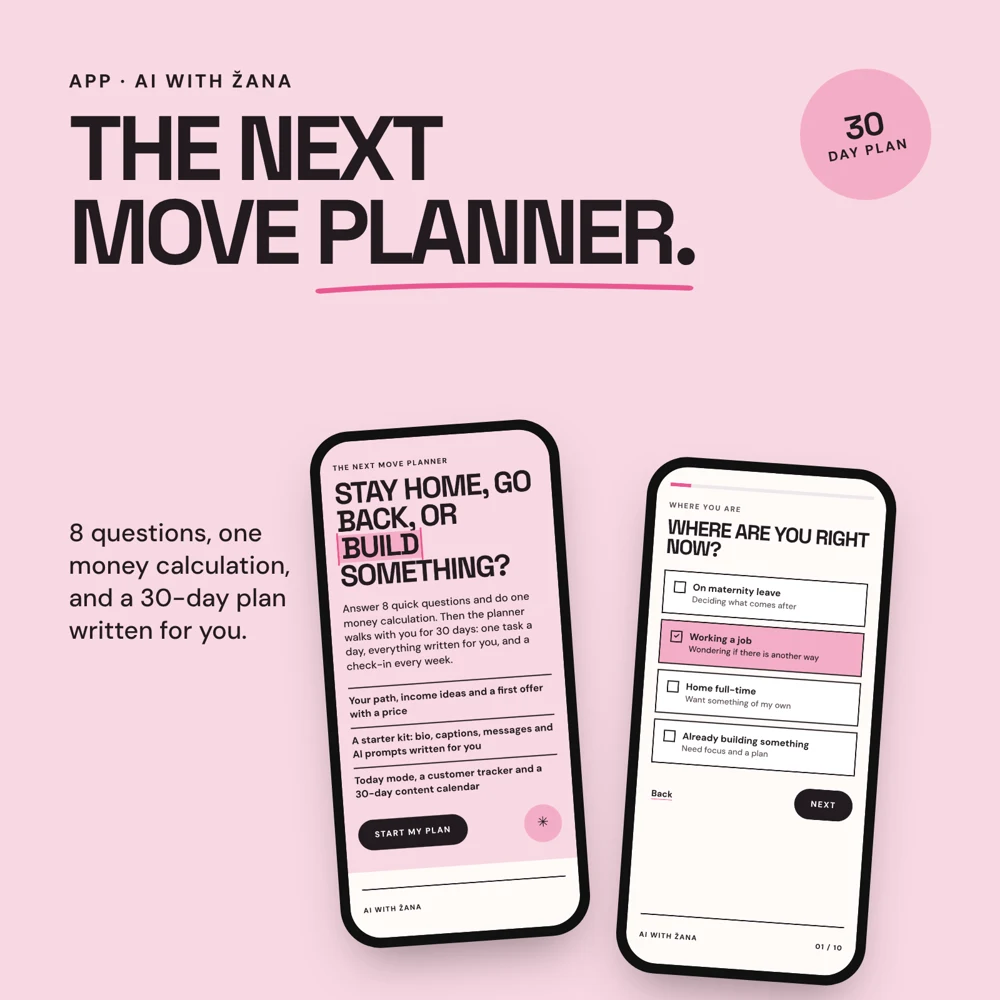
These are screens from the Planner. Your starting point comes from your own answers, not someone else’s schedule.
Work through your skills, situation and available hours.
Turn an idea into a 30-day plan with small next steps.
Use the daily tasks instead of making another plan you never reopen.
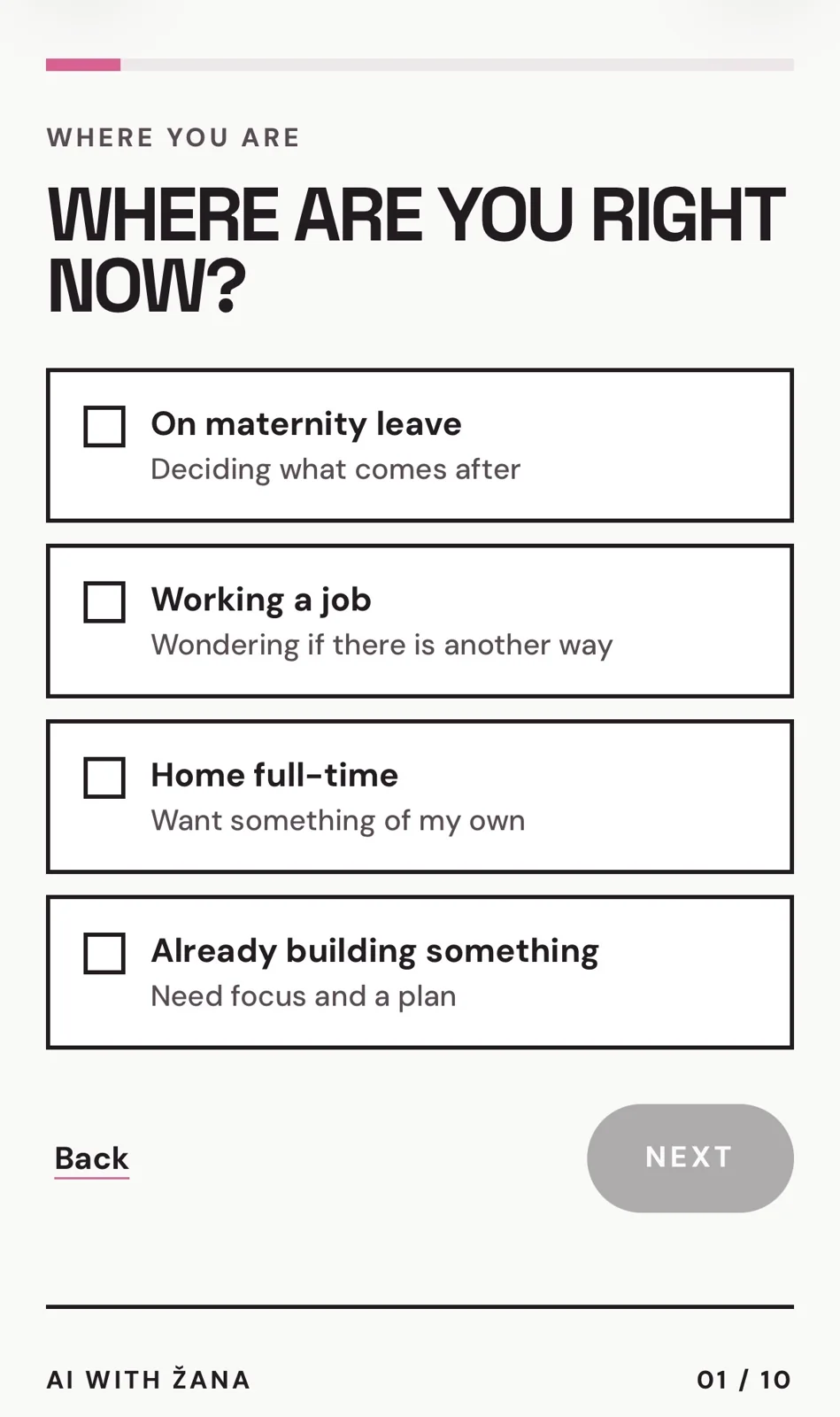
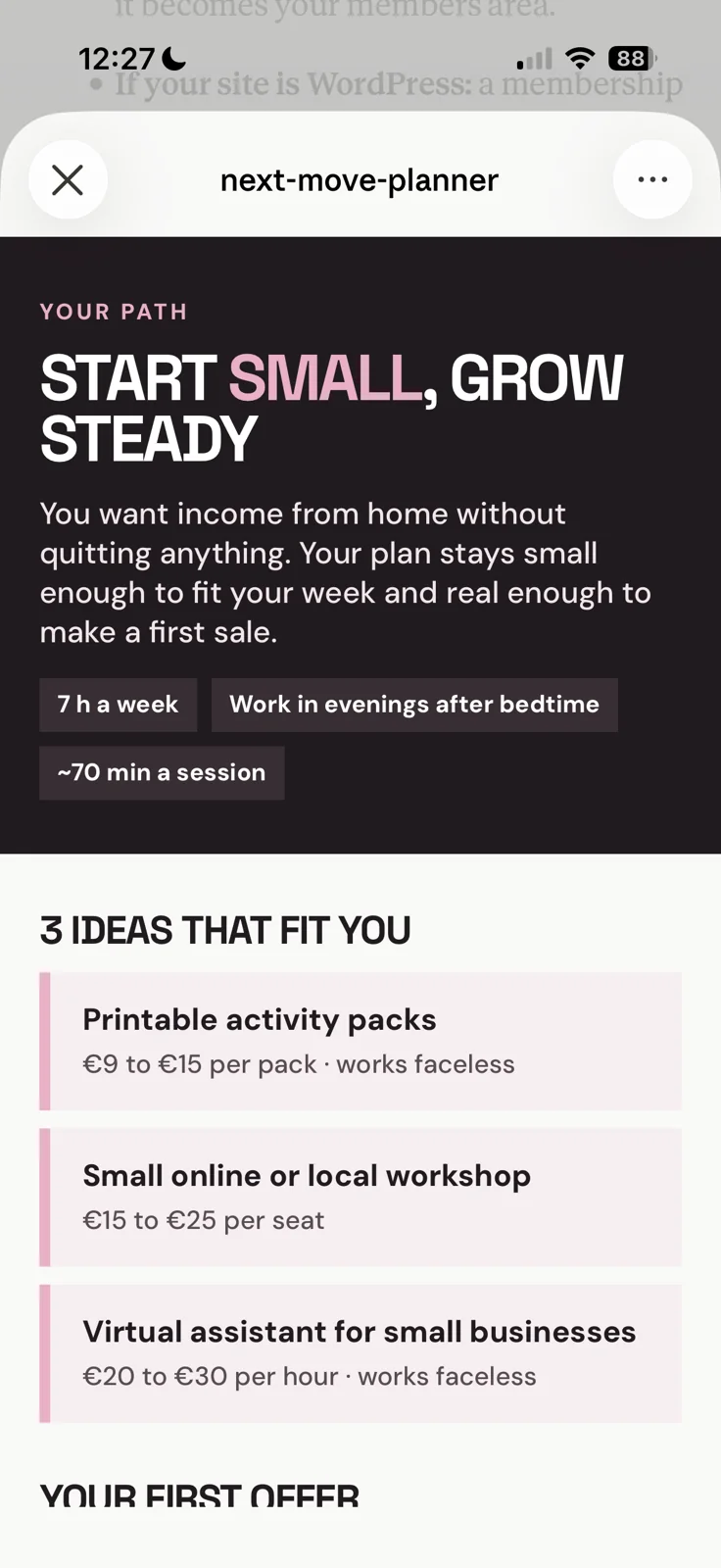
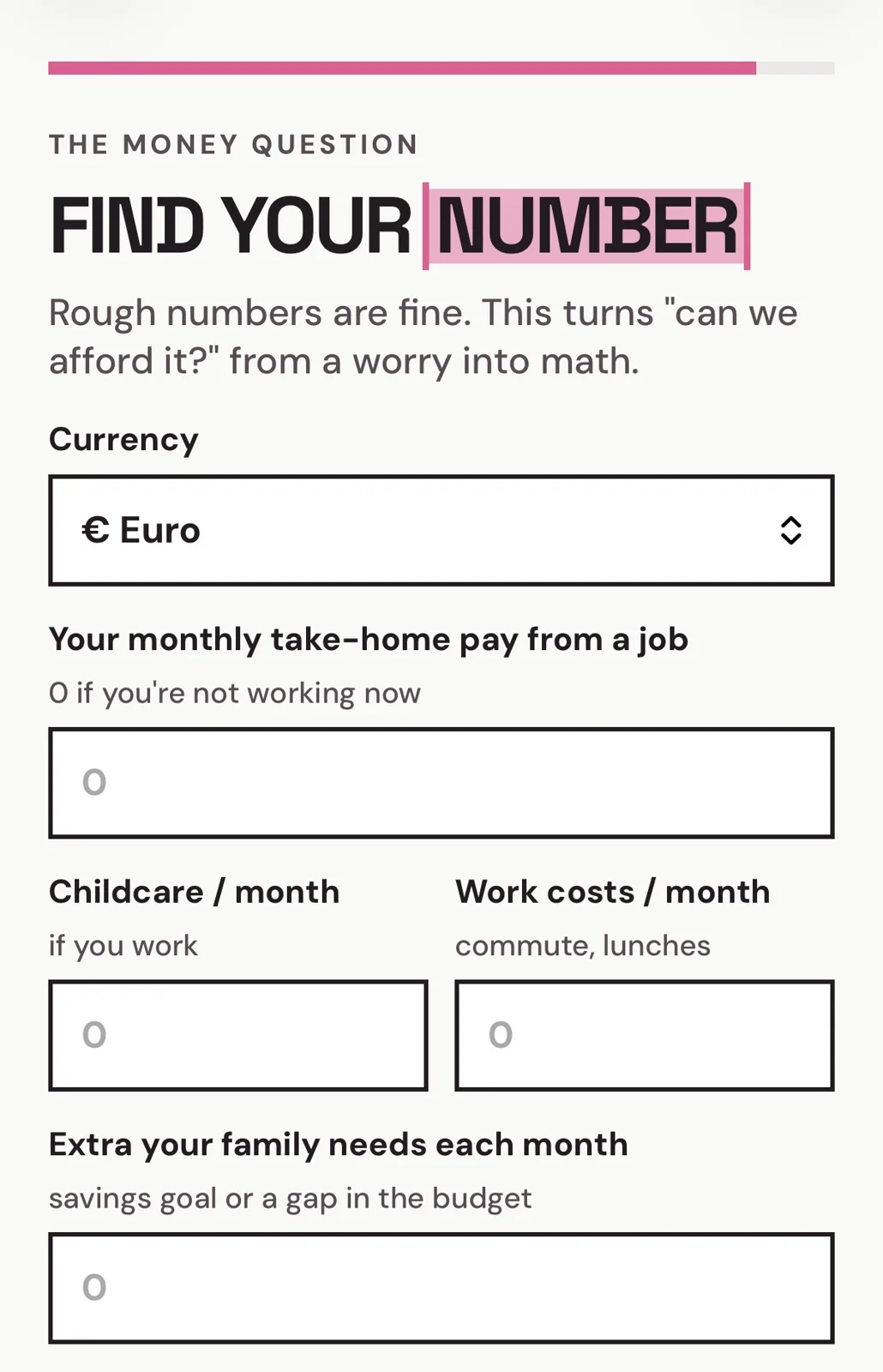
Tap a screenshot to enlarge it. On your phone, swipe through the gallery.
Works in a browser. Set aside about ten minutes to start and use your real weekly hours. It is a planning tool, not an income guarantee.
You’ve done enough late-night researching. Now give one idea a real place in your week.
The Next Move Planner turns your answers into a starting point: a path to test, a monthly number, an offer to build and the next task to do. No blank page. No guessing where to begin.
You don’t have to decide the rest of your life. Start with the next 30 days.
Your season, skills, hours, energy and camera comfort. Then do one quick money calculation.
Your path, stay-home number, three income ideas and a first offer with a name and suggested price.
Follow one task a day for 30 days. Use the short version when your day has other plans.
One task sized to your work window, a focus timer and a 10-minute version.
Check off your progress, build a streak and catch up after the days that got away.
Five offer names, your one-sentence offer, a bio and five caption drafts.
Plus 10 AI prompts filled in with your details. Copy them into ChatGPT or Claude and make them yours.
Your stay-home number, a starter/main/premium price ladder and a suggested sales mix.
Move the sliders to explore an income timeline. It’s a scenario to test, not an income promise.
A tracker for your first 10 potential customers and four message drafts.
Keep track of who you contacted, who’s interested and who bought.
A 30-day calendar with 13 hooks matched to your offer and camera style.
Weekly check-ins, a share card and a Day 30 review help you see what to try next.
A guide can explain the steps. This tiny app keeps your plan, drafts, numbers and progress together.
Add it to your home screen. Open Today. Do the next task. Come back tomorrow.
Your progress saves in the browser on that phone. No downloads to organise and no tech skills needed.
These example screens show the questions, money calculation and a sample plan. Your result depends on your answers.
You get structure and a starting point. The work is still yours.

I’m a mom of a baby born in 2026 and a 4-year-old girl. I run an online store and a marketing agency, and I use AI every day to get real work done.
I made this for the mom with a lot in her head and very little uninterrupted time. You don’t need to become a tech person. You need a next step you can use.
AI should make your life easier, not make you feel behind.
Make room for one idea that fits your life. The Next Move Planner gives you the structure to start.
$37 ONE PAYMENT. NO SUBSCRIPTION.
BUY NOW · $37Secure checkout. Your access link arrives by email.
Yes. Answer the questions, enter rough numbers and open your plan. To use the AI prompts, copy and paste them into ChatGPT or Claude. You don’t need coding skills.
Setup takes about 10 minutes. Your daily task fits the hours you choose, with a 10-minute version for busy days. If you miss a day, you can catch up without starting over.
That’s a valid next move. The planner includes a “go back on your terms” path, and you can test a small offer alongside your job. It isn’t a tool for talking you into quitting.
You can start testing an offer through people you know and direct messages. The bio, captions, hooks and share card are built around Instagram, so you’ll use more of the kit if you post there. Faceless options are included.
It runs in your phone’s browser. On iPhone, use Safari; on Android, use Chrome. You can add it to your home screen. Progress saves in that browser on that device, so return to the same one.
After successful payment, Stripe takes you to a Welcome page with your “Open my planner” button. Email delivery is being set up before launch.
It calculates a starting number from the pay and costs you enter and shows hypothetical income scenarios. It does not account for every tax, benefit, business cost or family expense. Use it to explore a plan, not as a promise that it’s safe to leave work.
Digital products are not eligible for change-of-mind refunds once accessed with your consent. Your statutory rights for faulty or non-conforming content remain unaffected.
You don’t have to choose the rest of your life today. Give yourself a starting point—and a plan for the next 30 days.
Available now · $37 one-time · About 10 minutes to set up
Practical prompts, useful workflows and new free guides from Žana. Pick what you want more of.
“Needed this. Too many ideas, no actual plan.”
“I filled it in during nap time and came back to it that evening. Nice being able to take my time.”
“Some of the suggestions weren’t for me, but one gave me something I actually wanted to try.”
“I keep making plans like I have eight free hours a day lol. Putting in the time I really have made the whole thing feel more doable.”
“Simple to use. The daily tasks were my favourite part.”
 YOUR HOURS